






How Long Can Your System Withstand a Brute Force Attack?
What is Brute Force?
In its simplest terms, a Brute Force attack is a method where an attacker tries thousands of different keys one by one until they find the correct one. Utilizing complex algorithms and high processing power, bots attempt thousands of combinations per second until they discover a system’s username and password.
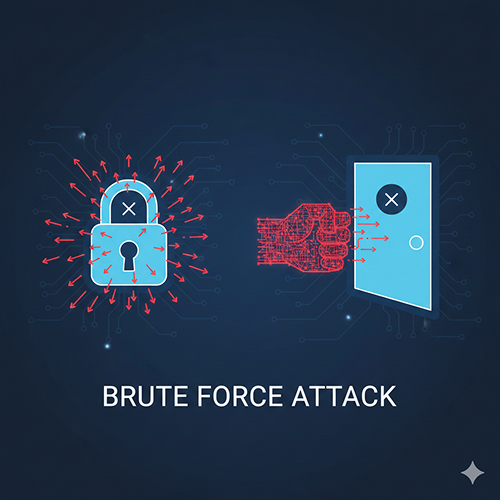
Most Common Types of Brute Force Attacks
Attackers no longer rely on random character guessing alone; they develop strategies based on the target:
- Simple Brute Force: A method that systematically tries all possible character combinations (e.g., “a123”, “b123”) without using any predefined lists.
- Dictionary Attacks: Instead of random trials, this method uses massive lists of common words, frequent passwords (e.g., “admin123”), and names.
- Credential Stuffing: This involves automatically testing username and password pairs leaked from other platforms (such as LinkedIn or Yahoo breaches) to see if they are valid on your system.
- Reverse Brute Force: In this method, a single “popular password” (e.g., “Password123!”) is selected and tested against thousands of different usernames. This approach often aims to bypass “account lockout” policies.
So, what does your system do during this digital siege involving thousands of attempts per second? Is it merely accumulating “Failed Login” logs, or does it exhibit a defensive reflex?
This is exactly where monitoring and observability solutions evolve from simple tracking tools into active security shields…
How Do Monitoring Solutions Help Protect Against Brute Force Attacks?
Monitoring solutions serve as your system’s “early warning mechanism“ and “automated line of defense” against brute force attacks. These tools do more than just check if a system is up; they help you contextualize and give meaning to security events.
The core benefits of these solutions in defending against attacks are:
Log Analysis and Real-Time Detection
Brute force attacks generate hundreds of “Failed Login” entries in system logs (Windows Event Logs, SSH Logs, Syslog) within a very short timeframe.
- SolarWinds (SEM): Through the Security Event Manager module, it centralizes logs and scans for “Failed Login” events in real-time.
- Zabbix: Using the “Zabbix Agent” installed on servers, it reads log files (e.g., /var/log/auth.log) line by line and triggers an alarm when specific keywords (e.g., “failed password”) are detected.
Event Log Monitoring: Why Should Logs Be Monitored Regularly?
Thresholds and Alerts
Monitoring tools allow you to distinguish “normal” user behavior from an “attack.”
- Rule Definition: For instance, a trigger can be set: “If more than 10 failed logins occur from the same IP address within 1 minute, issue a Critical Attack alert.”
- Visualization: Through dashboards, you can monitor the intensity of login attempts across various servers via real-time graphics.
Automated Intervention (Active Response)
Alerting alone is not enough; these tools can also trigger actions to halt the attack:
- IP Blocking: Once an attack is detected, the monitoring tool can automatically execute a script to add the attacker’s IP to the server firewall (iptables/Windows Firewall) and block it.
- Service Termination: If there is a critical risk of a breach, the tool can temporarily shut down the relevant service.
- Account Lockout: If an intense attack targets a specific username, that account can be temporarily disabled to prevent unauthorized access.
Forensic Analysis (Forensics)
After an attack concludes, these tools allow you to report where the attack originated (geo-location), which usernames were targeted, and how long it lasted. This data is vital for refining your future security policies (e.g., password complexity requirements, MFA enforcement).
In Summary; Monitoring tools transform these attacks from mere “noise” into actionable “security events” that can be addressed immediately.